Have a Basic membership to PodcastGuests.com and want to upgrade to Premium? It’s a smart move. You’ll get more exposure including getting into our newsletters that go out to 30,000+ people on a rotating basis.
Here’s how to upgrade from Basic to Premium.
1. Log into your account here. If you forgot your password, choose the “Forgot your password?” option.
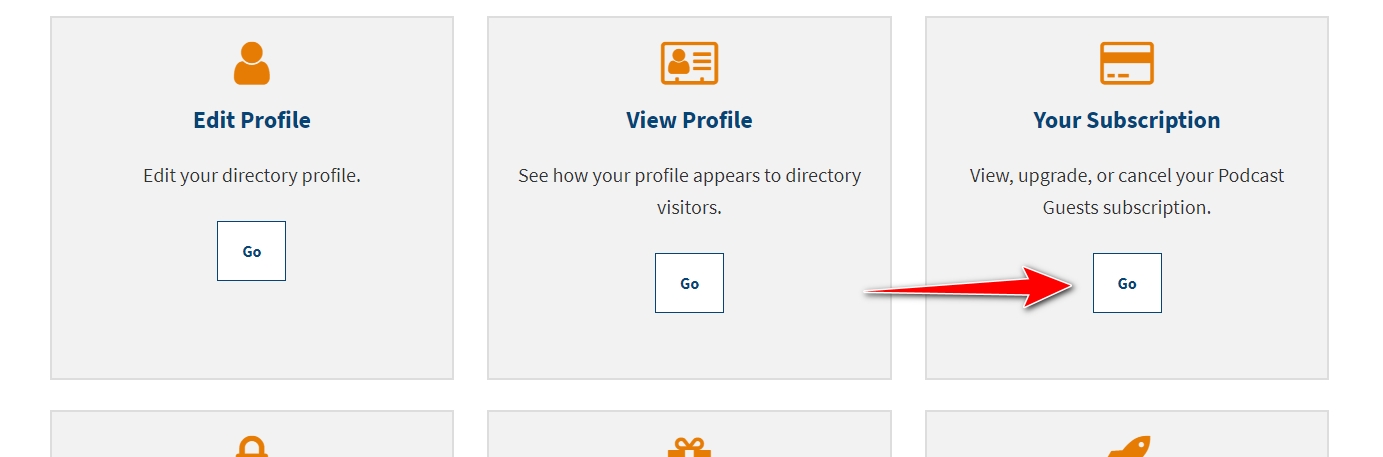
2. Click the Go button under “Your Subscription”
3. Click on the link “Upgrade or downgrade your membership” 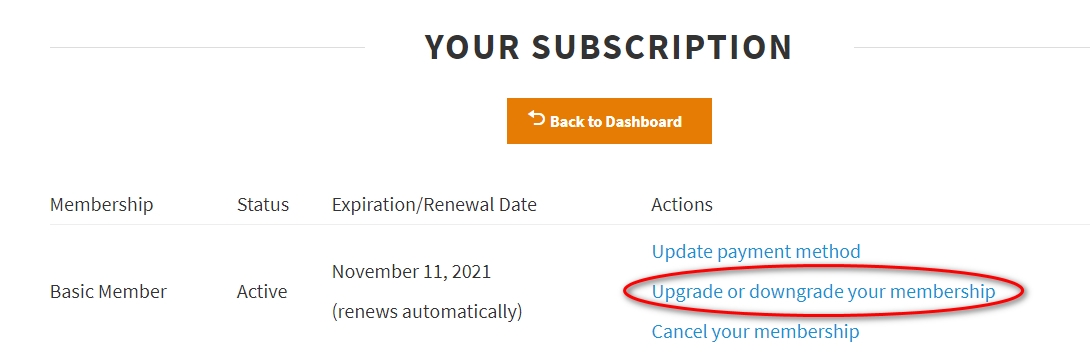
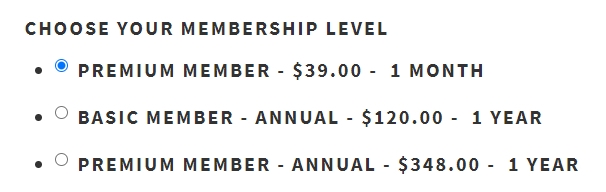
4. Choose one of the Premium options — either monthly or annual. Don’t worry, the pro-rated remainder of the amount you paid for your Basic membership will be applied to your Premium membership.
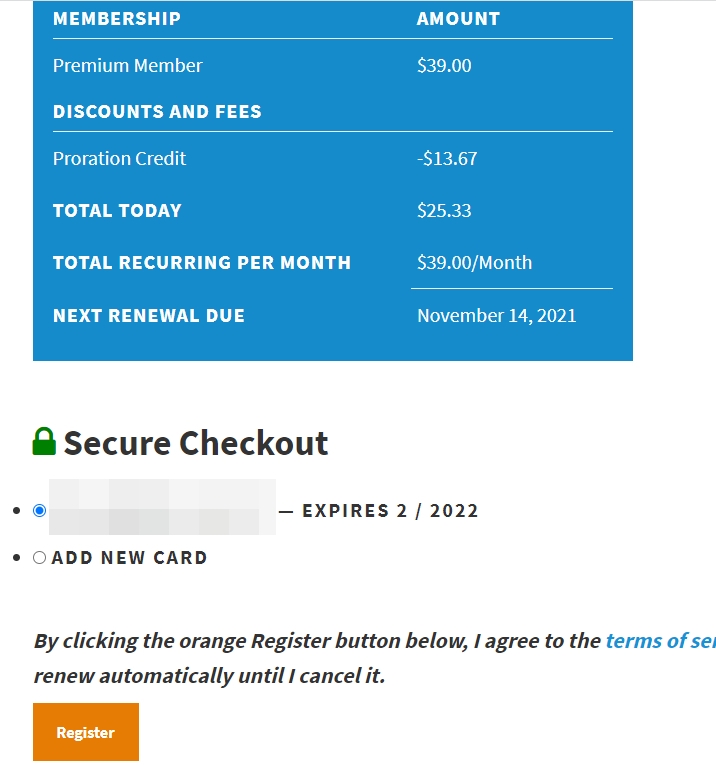
5. Review the new charges, including the pro-rated credit, and select “Register”
That’s it! Now, you can edit your account to take advantage of Premium features including adding a second category and more website links.